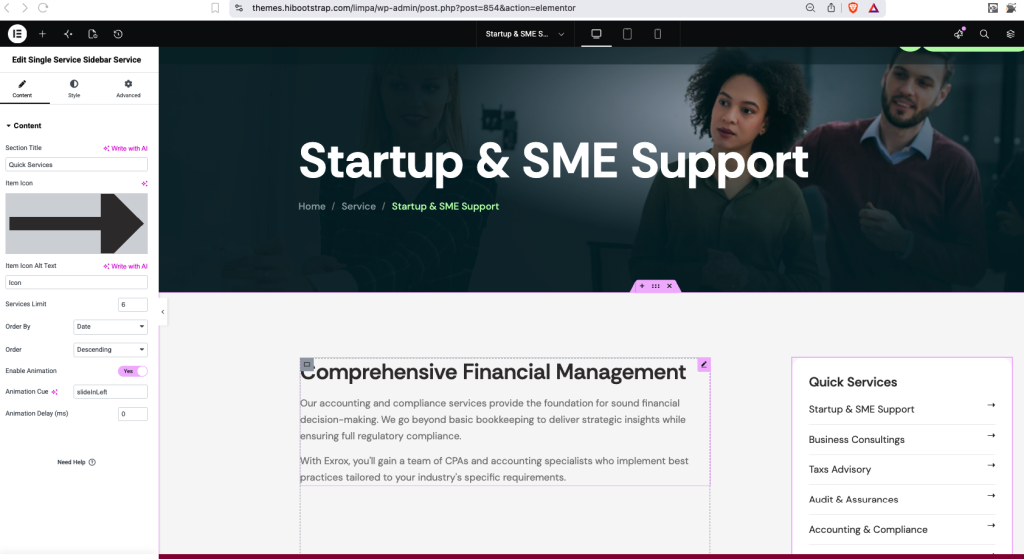
The Services section is a custom post type that allows you to create and manage individual services from the WordPress dashboard.
Create a New Service
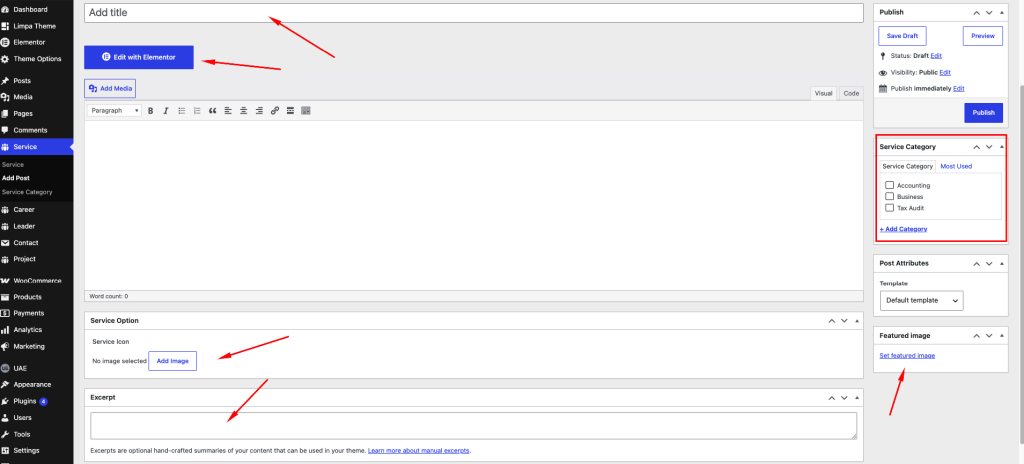
- From your WordPress Dashboard, go to Services → Add New.
- Enter the Service Title.
- Add or edit the service content as needed.
- Set the Featured Image for the service.
- Publish the service.
Edit Service Details with Elementor
Service details can be customized using Elementor.
- Go to Dashboard → Services.
- Select the service you want to edit.
- Click Edit with Elementor.
- Customize the service details using the available Elementor widgets and options.
- Click Update to save your changes.